
Free
Live masking of Stripe, GitHub and AWS secrets on your primary display.
$0forever
- Live masking on your primary display
- Core secret families
- Fail-safe cover
- OBS setup helper
Beta for macOS on Apple silicon
ScreenSafe reads your Mac screen once a second and covers API keys, tokens and private-key headers with solid blocks, in an overlay that OBS layers above a slightly delayed capture.
Free beta. macOS 13 or later, Apple silicon only. Not notarised yet. Windows and Linux are not available.
Without ScreenSafe
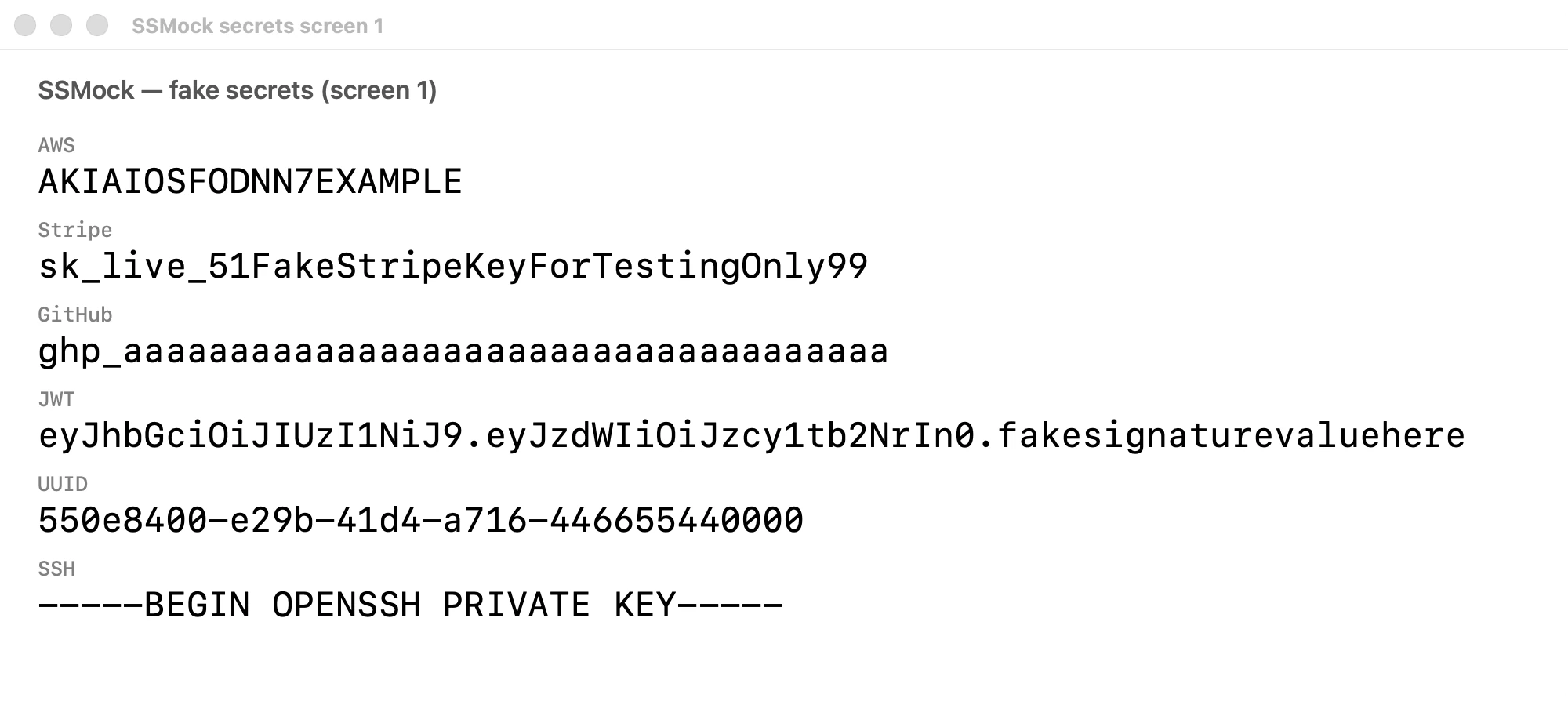
A real capture of a demo window that lists six fake secrets.
With ScreenSafe
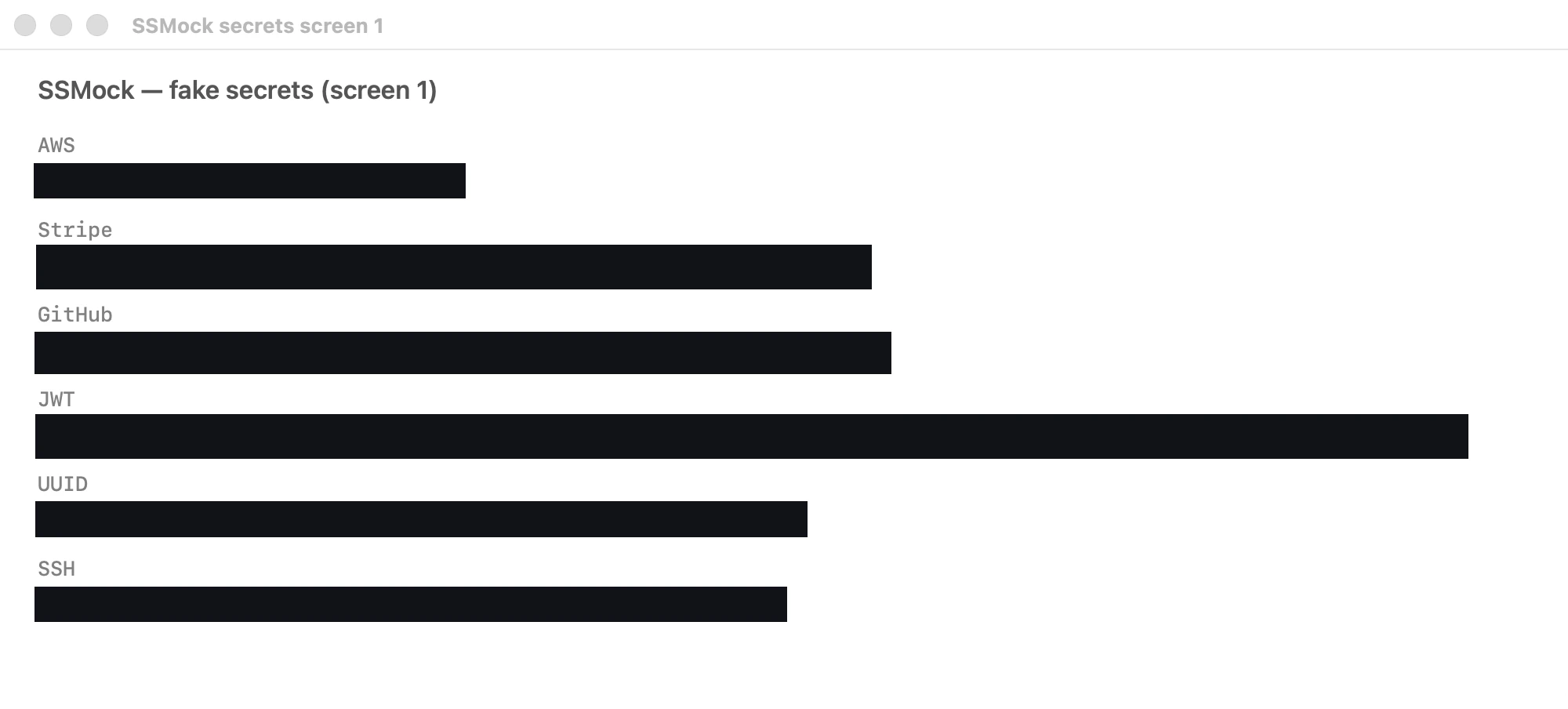
The same capture with a cover over each secret.
The right-hand image is a composite: the real capture above with covers placed from ScreenSafe detections and an OCR pattern pass, not a live recording of the overlay. All secrets shown are fake.
Live masking
ScreenSafe reads your primary display once a second with on-device OCR. When it finds a Stripe key, GitHub token or AWS access key, it draws a solid block over it in an overlay window. OBS layers that overlay above your desktop capture, which is delayed by about 400 ms so the cover is in place first.
Fail-safe
OCR once a second cannot promise to catch everything, so there is a second line of defence. Trigger the fail-safe over local HTTP or with TriggerFullScreenBlur and the whole screen is covered for 400 ms, so a window switch does not show a secret.
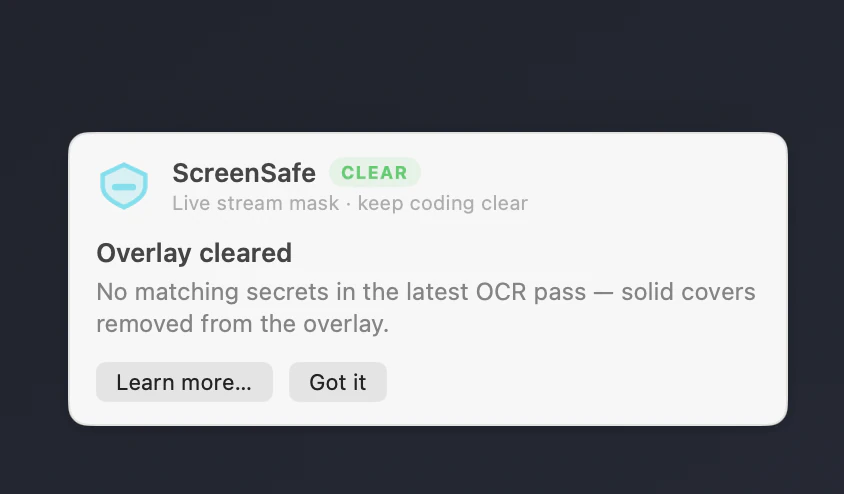
OBS setup
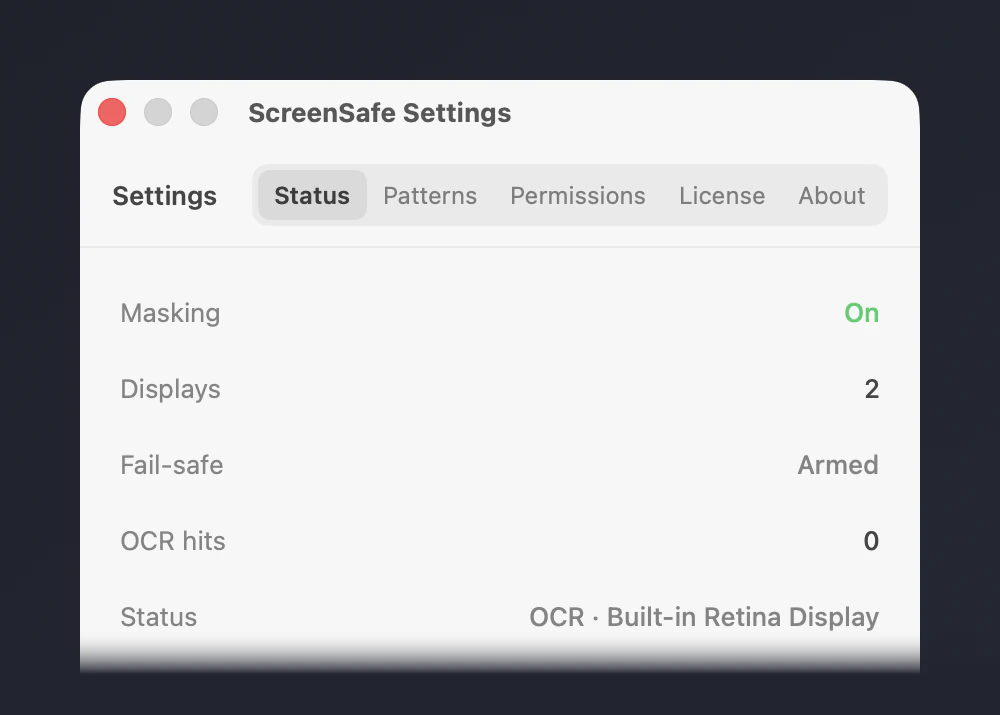
From the menu bar, ScreenSafe creates one OBS scene per display: the screen capture with a delay filter, the overlay with the solid covers, and an optional call to action. Settings shows what is armed and which display is on stream.
Stream call to actionPro
Pro adds a themed call-to-action card on top of the cover, so viewers see a message instead of an empty block. Pro also masks every secret family and any or several displays.
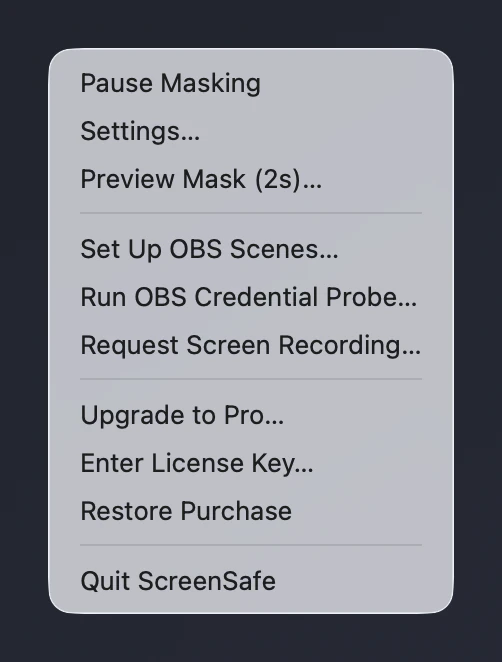
Always one click away
Pause masking when you are not live, trigger the fail-safe, set up OBS or open Settings, without switching apps.
Free
Pro
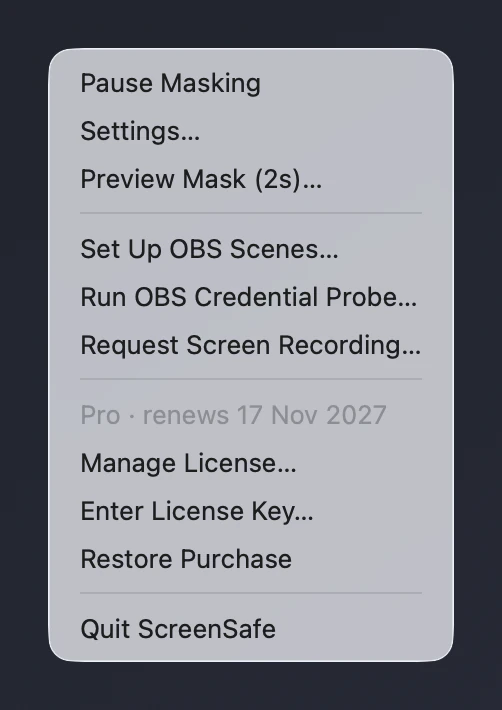
Free and Pro, inside the app
Pro features are marked in the app. Tap one on the Free plan and an upgrade sheet explains what it adds.
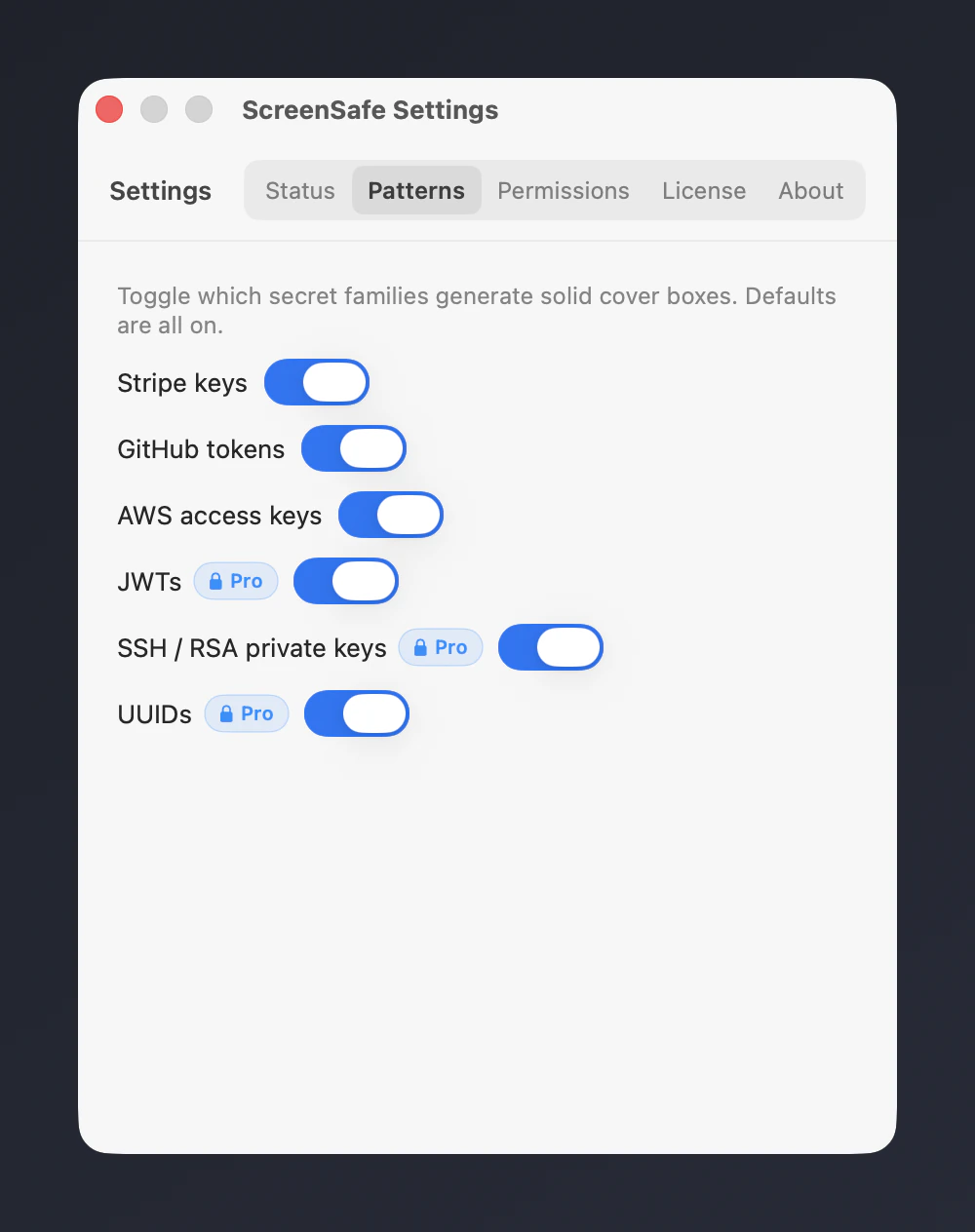
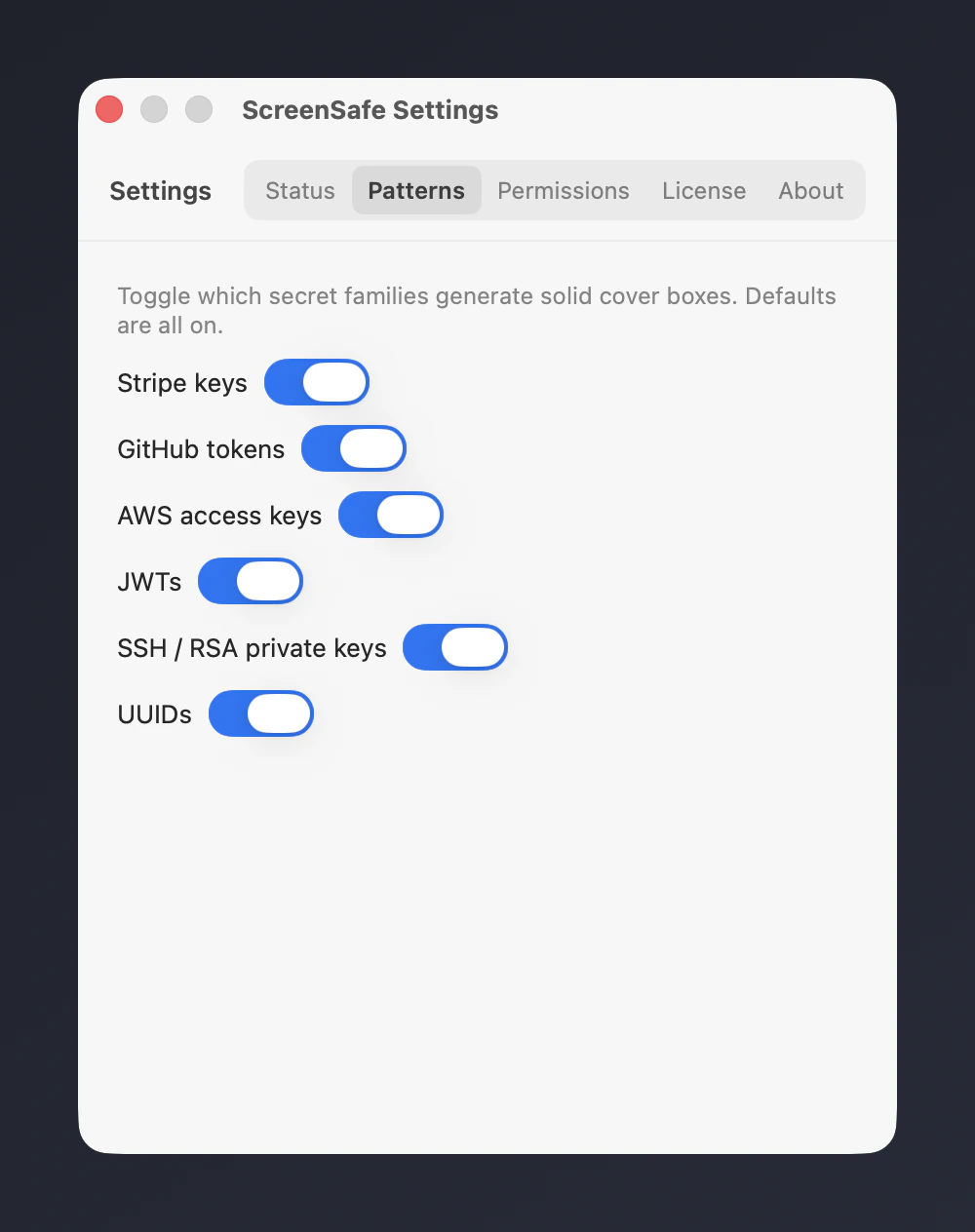
On Free, the Stripe, GitHub and AWS toggles are plain and the other families carry a blue Pro lock. With Pro, every family is available and the locks are gone.
Free
Pro
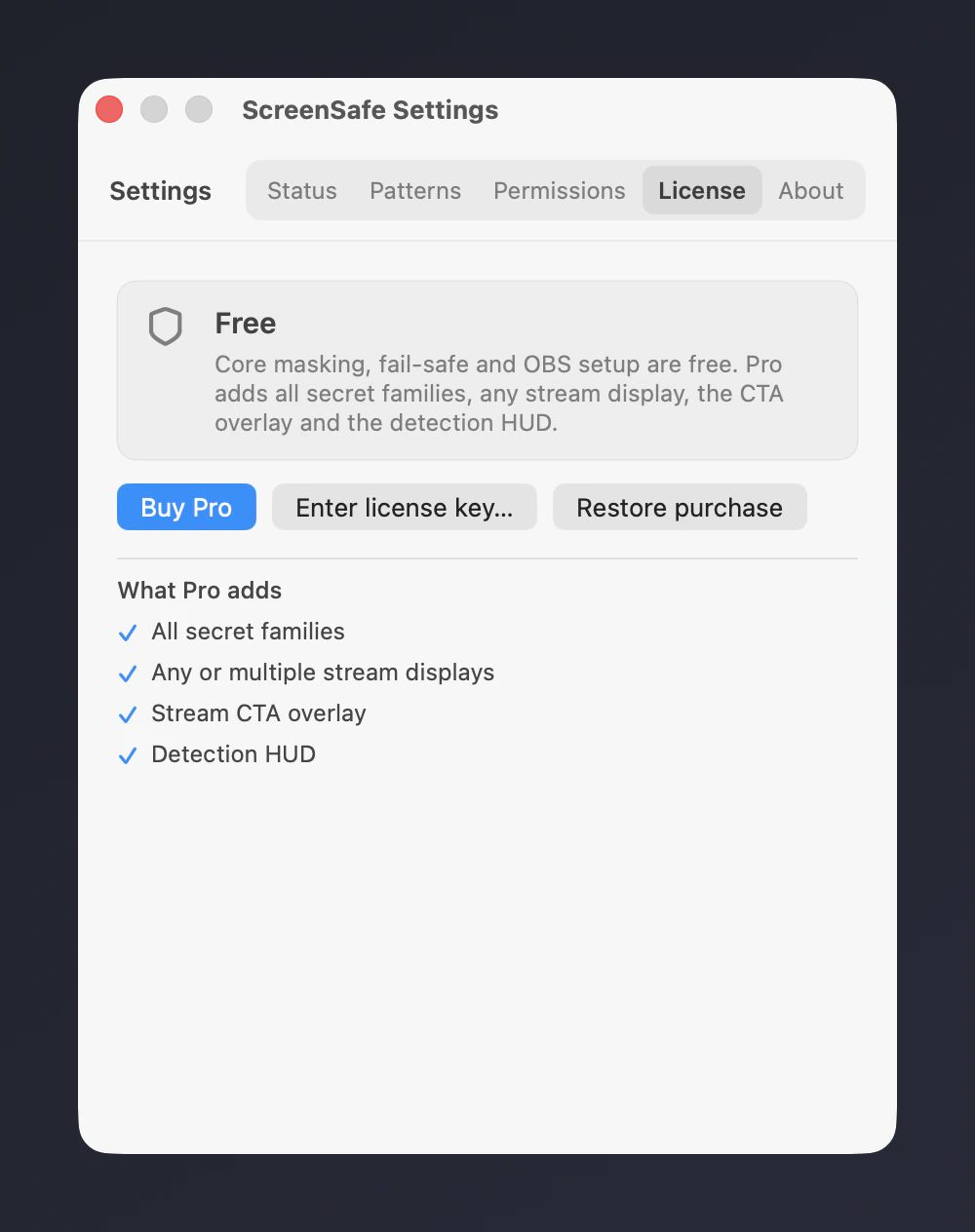
The License tab shows your plan. Free offers Buy Pro, Enter license key and Restore purchase. Pro shows the renewal date, the last five characters of the key and a button to deactivate this device.
Free
Pro
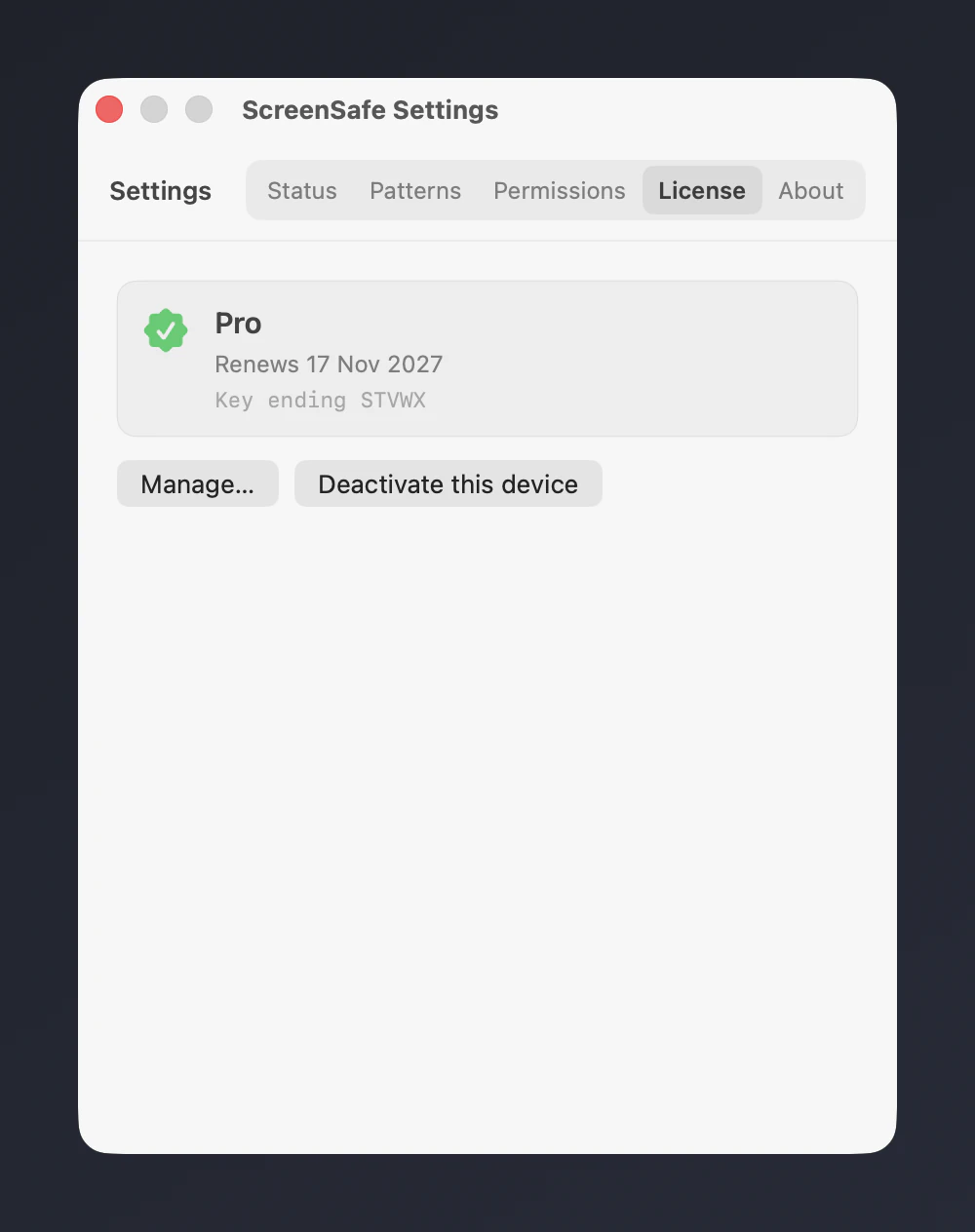
Real captures of the Settings window with fake secrets and a scratch licence. The Pro captures use a fake test key on a loopback mock licence server, so no purchase was made.
Upgrade sheet
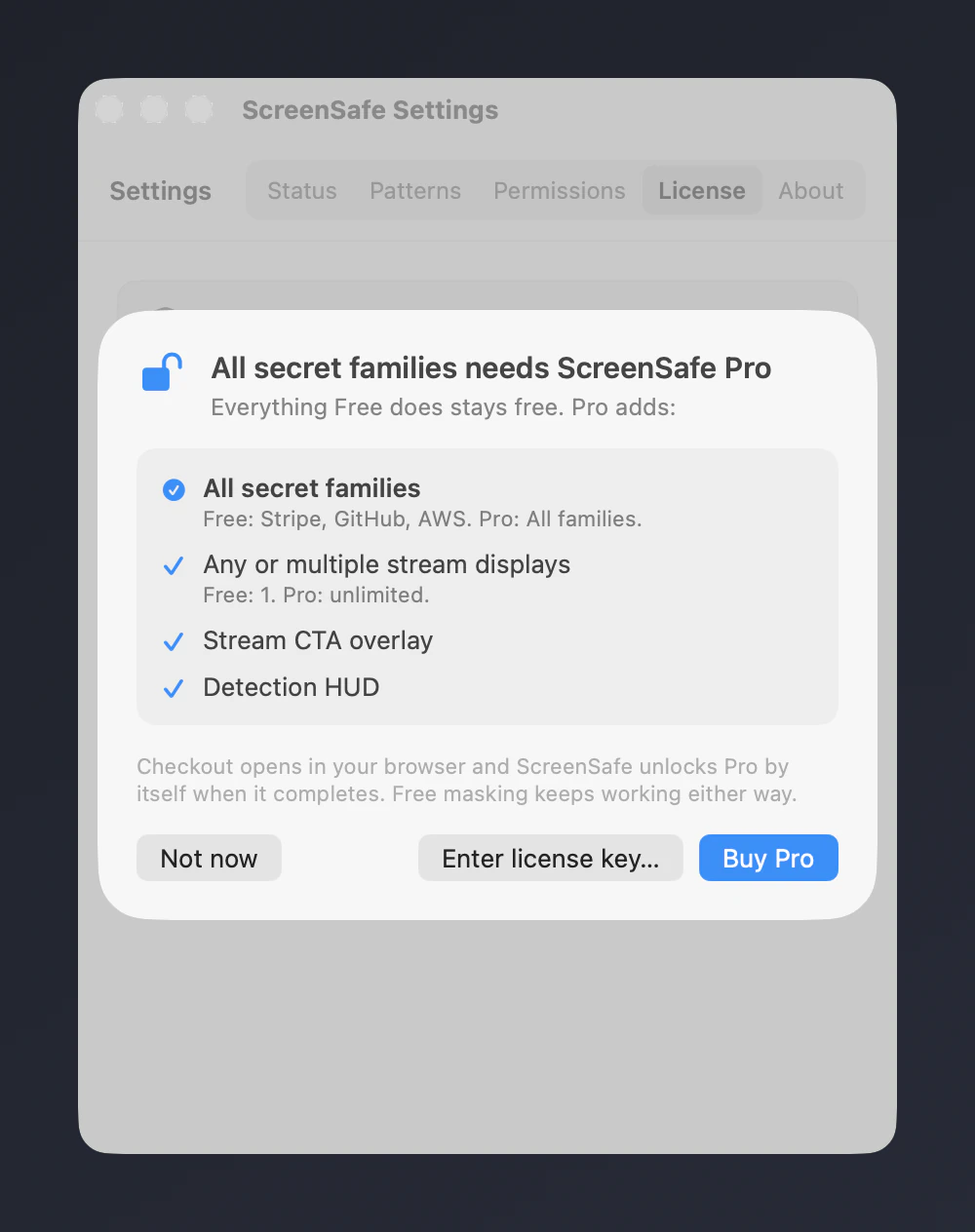
Selecting a Pro feature on the Free plan slides an upgrade sheet over Settings. It highlights the feature you tapped next to the other Pro extras. Choose Not now, Enter license key or Buy Pro.
How it works
ScreenSafe needs Screen Recording permission and OBS Studio.
Once a second ScreenSafe reads the stream display with on-device OCR and looks for the secret patterns it knows.
Each match gets a solid block, sized to the secret itself rather than its whole line, in a transparent overlay window the size of your display. The fail-safe can fill that whole overlay for 400 ms.
The overlay is not drawn over your own screen, so you keep working normally. OBS shows your desktop about 400 ms late with the overlay on top, so the cover is in place before viewers see the frame.
Know the limits
Free and Pro
Every row below comes from the product configuration, so this table matches what the app does.
| Feature | Free$0 | Pro$5/year |
|---|---|---|
| Masking | ||
| Live masking on your primary displayOCRs the display once a second and covers detected secrets with solid blocks in an overlay that OBS layers above the delayed desktop. | Included | Included |
| Core secret familiesDetects Stripe keys, GitHub tokens and AWS access keys. | Included | Included |
| Fail-safe coverCovers the whole screen for 400 ms on a trigger (HTTP or TriggerFullScreenBlur) to help keep a secret from showing during a window switch. | Included | Included |
| All secret familiesProAdds JWTs, SSH and RSA private key headers and UUIDs to the core Stripe, GitHub and AWS detection. | Stripe, GitHub, AWS | All families |
| Stream | ||
| OBS setup helperCreates the OBS scenes, the overlay source and the OCR delay filter for you from the tray. | Included | Included |
| Any or multiple stream displaysProMask any display, or several at once, and follow the monitor on Program. Free masks the primary display. | 1 | Unlimited |
| Stream CTA overlayProShows a themed call to action on the masked overlay for your viewers. | Not included | Included |
| Diagnostics | ||
| Detection HUDProShows what ScreenSafe detects and why, live, so you can tune what gets masked. | Not included | Included |
The free beta masks the primary display for good. Pro adds the extras.
Live masking of Stripe, GitHub and AWS secrets on your primary display.
$0forever
Every secret family, any or several displays, the call to action and the detection panel.
$5per year
Billed yearly in US dollars. Cancel any time from the link in your receipt.
Download the beta, run the OBS setup from the menu bar, and keep your keys off the stream.
Beta. macOS 13 or later, Apple silicon.